30 Other Ways to Say “Please Disregard My Previous Email” (With Examples)
Quick answer: The simplest professional way to say “Please disregard my previous email” is “Please disregard my earlier message and refer to the updated information below.” This wording is polite, direct, and makes it clear that the recipient should use the corrected information instead.
If you are looking for other ways to say please disregard my previous email, the best wording depends on what went wrong. You might have emailed the wrong person, attached an outdated document, shared incorrect figures, sent a duplicate message, or changed your instructions after pressing send.
A good follow-up email should do more than ask someone to ignore an earlier message. It should briefly explain the mistake, identify which information is no longer valid, and tell the recipient what to do next. The examples below cover professional, formal, apologetic, and straightforward alternatives, along with complete email samples you can adapt to your situation.
What Does “Please Disregard My Previous Email” Mean?
The phrase “Please disregard my previous email” means that the recipient should ignore an earlier email and avoid relying on its information or instructions. It is commonly used when a sender notices an error, sends a message to the wrong person, or needs to replace outdated information with a corrected version.
For anyone searching for the please disregard previous email meaning, the important distinction is that the sender is withdrawing the earlier message as a basis for action. The recipient should pay attention to the clarification or replacement message instead.
The word disregard means to pay no attention to something or treat it as unworthy of notice. In professional email communication, however, the phrase usually has a more specific purpose: preventing confusion about which message, instructions, figures, or attachments should be followed.
There are several please disregard my previous email synonyms, but they do not all communicate exactly the same thing. For example:
- Ignore my previous email: A straightforward request not to consider the earlier message.
- Please use this updated version: Directs attention to a replacement email.
- I sent that message in error: Explains that the original email was accidental.
- I would like to retract my previous message: Formally withdraws an earlier communication.
- Please delete the previous email: Requests removal rather than simply asking the recipient to ignore it.
The right expression depends on whether you need the recipient to ignore, replace, delete, correct, or formally withdraw the earlier communication. Choosing precise wording makes your follow-up easier to understand.
Is “Please Disregard My Previous Email” Professional or Polite to Say?
Yes. “Please disregard my previous email” is professional, polite, and widely understood in workplace communication. It is suitable for colleagues, managers, clients, vendors, customers, and business partners.
However, the phrase can sound slightly abrupt if you use it without explaining what happened. A more considerate approach is to acknowledge the error and provide the next step.
If you are wondering how to say please disregard my previous email in a professional setting, consider this structure:
- Briefly acknowledge the earlier message.
- Explain what was incorrect or why it should be ignored.
- Provide the corrected information or replacement attachment.
- Thank the recipient for their understanding when appropriate.
For example, instead of writing, “Please disregard my previous email,” you could say:
“I apologize for the confusion. My previous email contained an incorrect deadline. Please use the updated date provided below.”
This version sounds more thoughtful because it identifies the problem and provides a clear correction.
When writing formal business emails, smooth transitions can also make your message easier to follow. See our guide to other ways to say “with that being said” for additional expressions that help connect ideas naturally.
Quick Top Picks: The 8 Best Alternatives at a Glance
If you need a quick replacement, these eight expressions cover the most common email mistakes. Each one communicates a different situation or action rather than simply changing a word in the original sentence.
- Wrong recipient: “I sent that email to you in error. Please delete it unread and confirm once it has been removed.”
- Duplicate message: “A duplicate message went out; please use the first copy and ignore this duplicate.”
- Incorrect figures: “The figures in my last email were incorrect; please use the corrected numbers below.”
- Changed deadline: “The deadline has changed; please use [new date] instead of the date in my previous email.”
- Wrong attachment: “I attached the wrong file; please delete that attachment and use the correct file attached here.”
- Replacement email: “Please use this message as the current version; it supersedes my earlier email.”
- Formal withdrawal: “I hereby withdraw the request outlined in my previous email, effective immediately.”
- Apology: “I apologize for the mix-up; the previous email contained an error and should not be used.”
These expressions are useful starting points. The following 35 alternatives explain when each one works best and how to use it naturally.

Sent in Error: Wrong Recipient, Duplicate and Accidental Sends
When you need to explain an accidental send, the expression please disregard my previous email as it was sent in error is a clear starting point. If you are deciding how to say please ignore the previous email, first identify whether the message reached the wrong person, was sent twice, or went out before it was ready.
Wrong-recipient emails deserve particular care. If the message contains confidential or sensitive information, explicitly ask the unintended recipient to delete it unread and confirm once they have done so. Do not repeat the sensitive information in your follow-up or assume that asking someone to disregard an email automatically removes the original message from their inbox.
1. “I Sent That Email to You in Error. Please Delete It Unread and Confirm Once It Has Been Removed.”
Best for: Sending an email to the wrong person, especially when it contains private or confidential information.
This wording takes responsibility and gives the recipient a specific action. Asking them to delete the message unread is more appropriate than simply requesting that they ignore it when they were not supposed to receive it in the first place.
Example: “I sent that email to you in error. Please delete it unread and confirm once it has been removed. I apologize for the mistake.”
2. “You Were Copied on This Thread by Mistake; Please Do Not Forward or Act on the Message.”
Best for: Accidentally including someone in the CC field of an email conversation.
Sometimes the main recipient is correct, but another person is included accidentally. This wording addresses that specific situation without suggesting that the entire email thread is invalid. It also prevents the unintended recipient from forwarding the information or taking action based on the conversation.
Example: “You were copied on this thread by mistake. Please do not forward or act on the message. I apologize for the unintended inclusion.”
3. “I Sent That Message Before It Was Ready; Please Hold Off on Taking Action.”
Best for: Sending an unfinished draft, incomplete instructions, or a message before reviewing all the details.
This alternative is useful when the original email was not necessarily wrong but was sent prematurely. Rather than asking the recipient to forget everything, you are requesting that they pause until you provide a complete version.
Example: “I sent that message before it was ready. Please hold off on taking action until I send the finalized instructions.”
4. “A Duplicate Message Went Out; Please Use the First Copy and Ignore This Duplicate.”
Best for: Accidentally sending the same email twice.
Duplicate emails can happen when someone clicks the send button more than once or experiences a delay in their email application. This wording identifies which copy matters and prevents the recipient from treating both messages as separate requests.
Example: “A duplicate message went out; please use the first copy and ignore this duplicate. No additional response is necessary.”
5. “Please Disregard the Test Email; It Was Sent While I Was Checking the Mailing List.”
Best for: Accidentally sending a test message during an email campaign or mailing-list check.
This expression explains why the recipient received an unexpected message. It is especially useful for marketing teams, administrative staff, and employees testing distribution lists. It also reassures the reader that the email was not an actual announcement or request.
Example: “Please disregard the test email I sent earlier. I was checking the mailing list, and the message was not intended as an official announcement.”
6. “The Request in My Previous Email Was Sent Before Authorization; Please Do Not Proceed.”
Best for: Accidentally sending instructions, requests, or approvals before receiving the necessary authorization.
Sometimes the issue is not incorrect information but the fact that the sender did not have permission to issue the original request. This wording makes the situation clear and tells the recipient not to begin the requested work.
Example: “The request in my previous email was sent before authorization. Please do not proceed with the proposed changes until I provide formal confirmation.”
7. “The Earlier Announcement Was Sent to a Broader Group Than Intended; Please Wait for the Corrected Notice.”
Best for: Sending an announcement to the wrong distribution list or a larger audience than intended.
This alternative works when an internal announcement, invitation, or business update reaches people who were not supposed to receive it. It avoids placing responsibility on the readers and makes it clear that a more appropriate announcement will follow.
Example: “The earlier announcement was sent to a broader group than intended. Please wait for the corrected notice before sharing or acting on the information.”
Correcting Wrong or Outdated Information
When the original email contains incorrect information, please disregard my previous email and refer to this one instead is one of the clearest ways to introduce a correction. If you are researching how to say disregard my previous email, focus on identifying the incorrect detail and immediately providing the accurate replacement.
Instead of asking the recipient to ignore an entire email without explanation, mention whether the problem involves a date, amount, figure, instruction, or missing condition. This prevents readers from guessing which parts of the original message are still valid.
8. “The Figures in My Last Email Were Incorrect; Please Use the Corrected Numbers Below.”
Best for: Correcting financial figures, calculations, quantities, statistics, or numerical details.
This wording is direct and accountable. It is particularly useful when recipients might use your original numbers to prepare a report, approve a budget, or make a business decision. Include the corrected figures immediately rather than making the recipient search for them.
Example: “The figures in my last email were incorrect; please use the corrected numbers below. The revised total is $12,450 rather than $14,250.”
9. “I Need to Correct One Detail From My Earlier Message: [Correct Detail].”
Best for: Fixing one inaccurate statement without withdrawing the entire email.
Not every mistake requires a complete replacement message. If only one detail was wrong and the remaining information is still accurate, this expression makes the correction specific. It also helps the recipient understand exactly what changed.
Example: “I need to correct one detail from my earlier message: the meeting will take place in Conference Room B, not Conference Room A.”
10. “The Deadline Has Changed; Please Use [New Date] Instead of the Date in My Previous Email.”
Best for: Correcting a deadline, appointment date, submission date, or project timeline.
Dates are easy to misunderstand, especially when several people are working from different versions of a schedule. This wording explicitly identifies the old information as outdated and highlights the new deadline.
Example: “The deadline has changed; please use October 18 instead of the October 12 date mentioned in my previous email.”
11. “My Earlier Summary Left Out an Important Condition; Please Read This Clarification Before Proceeding.”
Best for: Correcting an incomplete explanation or adding an important qualification.
Sometimes an email contains technically correct information but leaves out a condition that changes how the recipient should interpret it. This expression acknowledges the omission without suggesting that every part of the original message was inaccurate.
Example: “My earlier summary left out an important condition: the discount applies only to orders placed before the end of the month. Please read this clarification before proceeding.”
12. “The Previous Instructions Are Out of Date; Please Follow the Updated Process Below.”
Best for: Replacing outdated procedures, company policies, technical instructions, or operational guidance.
This alternative focuses on the change rather than the mistake. It is suitable when circumstances have evolved and the earlier instructions no longer reflect the current process. Provide the new steps in a clear order so the recipient can follow them without referring back to the outdated message.
Example: “The previous instructions are out of date; please follow the updated process below when submitting your reimbursement request.”
13. “The Amount Quoted in My Previous Email Included an Error; the Corrected Total Is [Amount].”
Best for: Correcting a quotation, invoice amount, estimate, fee, or payment calculation.
This wording is especially helpful when the original email could influence a financial decision. It makes the correction explicit and avoids leaving the recipient uncertain about which amount to use. If the error affects an issued invoice or agreement, follow the relevant formal correction process as well.
Example: “The amount quoted in my previous email included an error; the corrected total is $3,850 before applicable taxes. Please use this amount for your updated records.”
14. “My Previous Wording Was Unclear; What I Meant to Say Was [Correct Explanation].”
Best for: Correcting an ambiguous statement or something that could be interpreted in more than one way.
This alternative is useful when the problem involves communication rather than factual accuracy. It takes responsibility for unclear wording and gives the recipient a more precise explanation. It can also prevent a small misunderstanding from becoming a larger workplace issue.
Example: “My previous wording was unclear; what I meant to say was that the report should be submitted after the manager’s review, not before it.”
When a corrected follow-up also announces limited places, availability, or a revised deadline, clear wording becomes especially important. Our guide to other ways to say “first come, first serve” offers additional expressions for communicating time-sensitive availability.
Wrong Attachment? Phrases for Attachment Mistakes
Sending the wrong attachment is one of the most common reasons to send a correction email. The best approach is to identify the file problem, explain whether the recipient should delete or avoid opening the original attachment, and attach the correct document when possible.
15. “I Attached the Wrong File; Please Delete That Attachment and Use the Correct File Attached Here.”
Best for: Accidentally attaching a different document, spreadsheet, image, or PDF.
This wording is straightforward because it tells the recipient exactly what happened and which file to use. It works well for routine workplace communication and does not require a lengthy explanation.
Example: “I attached the wrong file; please delete that attachment and use the correct file attached here. I apologize for the inconvenience.”
16. “The Attachment in My Last Email Was an Outdated Version; the Current File Is Attached.”
Best for: Sending an older version of a document instead of the latest revision.
This alternative is helpful when several versions of a proposal, report, contract draft, or presentation exist. It makes clear that the earlier document should not be treated as the current version.
Example: “The attachment in my last email was an outdated version; the current file is attached. Please use this revision for your review.”
17. “The Previous File Did Not Open Correctly; Please Use This Replacement Copy.”
Best for: Sending a damaged, incomplete, unreadable, or corrupted attachment.
Sometimes the correct document is attached, but the file itself does not work. This expression avoids suggesting that the recipient made a mistake and directs them to a working replacement.
Example: “The previous file did not open correctly; please use this replacement copy. Let me know if you experience any further issues accessing it.”
18. “Please Do Not Open the Attachment in My Previous Email; It Was Included Accidentally.”
Best for: Accidentally attaching a file that the recipient was not intended to receive.
This wording is more urgent than an ordinary attachment correction. It is appropriate when a document contains private information, internal material, or an unintended file. If the attachment may involve confidential or regulated information, follow your organization’s security or incident-reporting procedures rather than relying only on a follow-up email.
Example: “Please do not open the attachment in my previous email; it was included accidentally. Please delete the message and confirm once you have done so.”
19. “I Sent the Document Before It Received Final Approval; Please Wait for the Approved Copy.”
Best for: Sending an unapproved draft, preliminary agreement, or document that is not ready for distribution.
This alternative is useful when the file itself may be accurate but has not completed the necessary review or approval process. It prevents recipients from treating a draft as a final document.
Example: “I sent the document before it received final approval. Please do not circulate or rely on that version; I will share the approved copy once it is ready.”
Replacement Versions: “Use This Email Instead”
Sometimes the best solution is not simply asking someone to ignore an earlier message. You need to establish that a new email, revised document, or updated set of instructions replaces the original communication.
These alternatives are especially useful when the recipient needs one authoritative version to keep for their records or use for the next step.
20. “Please Use This Message as the Current Version; It Supersedes My Earlier Email.”
Best for: Replacing an earlier email with a complete and corrected version.
This is one of the strongest general-purpose alternatives because it clearly establishes which message should be treated as current. The word “supersedes” indicates that the new communication takes the place of the earlier one for the purpose you describe.
Example: “Please use this message as the current version; it supersedes my earlier email. All revised details are included below.”
21. “The Instructions in This Email Replace the Steps I Sent Earlier.”
Best for: Replacing an earlier set of instructions with a new process.
This expression is useful for project managers, supervisors, technical teams, and anyone coordinating tasks. It avoids uncertainty about whether recipients should combine the old instructions with the new ones.
Example: “The instructions in this email replace the steps I sent earlier. Please follow the revised sequence when completing the installation.”
22. “Please Work From the Revised Proposal Attached Here, Not the Earlier Draft.”
Best for: Replacing a business proposal, project plan, quotation, or presentation.
This wording directs the recipient to a specific replacement document. It is particularly useful when the recipient may have already downloaded or shared the earlier draft.
Example: “Please work from the revised proposal attached here, not the earlier draft. The updated version includes the changes discussed during our meeting.”
23. “This Follow-Up Contains the Final Schedule; Please Disregard the Tentative Dates in My Previous Note.”
Best for: Replacing preliminary dates, tentative appointments, or an unconfirmed project schedule.
This alternative works well when an earlier message contained provisional information that has now been finalized. It makes the difference between tentative and confirmed details easy to understand.
Example: “This follow-up contains the final schedule; please disregard the tentative dates in my previous note. The confirmed appointments are listed below.”
24. “For Your Records, the Corrected Version Is Below; No Action Is Needed on the Earlier Copy.”
Best for: Replacing an earlier email when the recipient mainly needs accurate records rather than additional instructions.
This expression is useful for administrative updates, internal documentation, and routine business correspondence. It tells the recipient which version to retain and prevents unnecessary work on the outdated copy.
Example: “For your records, the corrected version is below; no action is needed on the earlier copy. Please retain this email for future reference.”
Formal and Legal Wording: Retract, Withdraw and Void
In formal business communication, you may need stronger language than “please ignore my last email.” Words such as “retract,” “withdraw,” “supersede,” and “void” communicate different intentions and should be selected carefully.
These expressions are appropriate for formal notices, proposals, requests, internal approvals, and business correspondence. However, using a legal-sounding phrase does not automatically cancel a contract, revoke a binding offer, or satisfy a formal notice requirement. When legal rights or obligations are involved, follow the applicable agreement and seek qualified legal advice where necessary.
25. “I Hereby Withdraw the Request Outlined in My Previous Email, Effective Immediately.”
Best for: Formally withdrawing a request that has not yet been acted upon.
“Withdraw” is appropriate when you no longer want the recipient to proceed with a previous request. It sounds more formal than asking someone to ignore an email and is useful in administrative or business settings.
Example: “I hereby withdraw the request outlined in my previous email, effective immediately. Please do not proceed with the proposed changes.”
26. “I Retract the Statement in My Previous Email; Please Do Not Rely on It.”
Best for: Withdrawing a previously made statement, assertion, or position.
“Retract” is a stronger word than “correct.” It communicates that you are taking back something you previously stated rather than simply providing an additional explanation. Use it when the earlier statement should no longer be treated as your position.
Example: “I retract the statement in my previous email; please do not rely on it as an accurate representation of our current position.”
27. “Please Treat the Previous Notice as Superseded by This Communication.”
Best for: Replacing a formal business notice with a newer communication.
This expression is suitable for official correspondence, policy updates, and administrative notices. It establishes that the newer communication is intended to replace the earlier notice. For formal legal notices, make sure the replacement follows the required delivery and documentation procedures.
Example: “Please treat the previous notice as superseded by this communication. The revised terms and applicable dates are outlined in the attached document.”
28. “The Authorization Described in My Earlier Email Is Withdrawn as of [Date].”
Best for: Communicating that previously stated permission or authorization is no longer intended to apply.
This wording is more specific than asking someone to ignore a general email. It identifies the authorization being withdrawn and gives an effective date. When the authorization is legally or contractually binding, use the appropriate formal revocation process rather than assuming that an email alone is sufficient.
Example: “The authorization described in my earlier email is withdrawn as of November 10. Please contact me before taking any further action related to that authorization.”
29. “Please Treat the Earlier Draft as Void; It Was Never Approved for Release.”
Best for: Formally identifying an unapproved draft or preliminary communication as invalid for internal use.
“Void” sounds firm and official, so it should be reserved for situations where you genuinely intend to declare a document or draft invalid. It is especially useful when an unapproved version was accidentally circulated and should not be treated as an authorized statement.
Example: “Please treat the earlier draft as void; it was never approved for release. The finalized and authorized version will be circulated separately.”
Apology-Led Softeners That Still Sound Professional
If your earlier email created inconvenience or confusion, adding a brief apology can make your correction sound more considerate. The key is to acknowledge the problem without making the message unnecessarily emotional or lengthy.
30. “I Apologize for the Mix-Up; the Previous Email Contained an Error and Should Not Be Used.”
Best for: Correcting a mistake that may have caused confusion or additional work.
This alternative combines accountability with a clear instruction. It is appropriate for clients, colleagues, managers, and business partners when the error needs to be acknowledged directly.
Example: “I apologize for the mix-up; the previous email contained an error and should not be used. Please refer to the corrected information below.”
31. “Sorry for the Extra Message; Please Use the Corrected Information in This Follow-Up.”
Best for: Sending a quick correction after a minor error or unnecessary email.
This wording sounds natural and approachable without becoming overly casual. It is particularly useful when communicating with coworkers or people with whom you already have an established professional relationship.
Example: “Sorry for the extra message; please use the corrected information in this follow-up. I’ve updated the meeting time to 2:30 p.m.”
32. “Thank You for Your Patience; I Sent the Earlier Note Before Confirming the Details.”
Best for: Correcting preliminary information that was shared before verification.
This expression acknowledges that the sender communicated too early and appreciates the recipient’s understanding. It is useful when the mistake involved a schedule, project update, pricing detail, or other information that required confirmation.
Example: “Thank you for your patience; I sent the earlier note before confirming the details. Please wait for the verified information in my next update.”
33. “I Appreciate Your Understanding While I Correct the Record; Please Set Aside My Earlier Message.”
Best for: A more polished apology in formal or client-facing communication.
This alternative maintains a respectful tone while making the required action clear. It is useful when the recipient may have already spent time reviewing the earlier message or when the correction affects an ongoing business discussion.
Example: “I appreciate your understanding while I correct the record; please set aside my earlier message and refer to the updated details below.”
Short and Direct One-Liners for Subject Lines and Quick Follow-Ups
Sometimes a long explanation is unnecessary. If the mistake is minor and the replacement information is immediately available, a short follow-up can be more effective than a lengthy apology.
34. “No Action Is Needed on My Previous Email; Please Close It Out.”
Best for: Canceling a routine request that the recipient has not yet started processing.
This expression is useful when the original email requested an action that is no longer necessary. It prevents the recipient from spending time completing a task that has been canceled.
Example: “No action is needed on my previous email; please close it out. The issue has already been resolved.”
35. “Please Pause the Work Described in My Last Email Until I Send Confirmation.”
Best for: Temporarily stopping a task while you verify information or make a decision.
Unlike a complete withdrawal, this wording communicates that the recipient should wait rather than permanently cancel the work. It is especially useful for project coordination, approvals, and time-sensitive instructions.
Example: “Please pause the work described in my last email until I send confirmation. I need to verify one additional detail before we proceed.”
Subject-line examples: A clear subject line helps recipients recognize a correction before opening the message. You can use expressions such as:
- Correction: Please use the updated figures.
- Revised Attachment: Updated document attached.
- Important Update: Please use the new deadline.
- Correction: Disregard last email — corrected information below.
- Revised Notice: Disregard the prior email and use this version.
- Action Required: Please pause the previous request.
- Updated Version: Final document attached for review.
Although phrases such as “disregard last email” and “disregard the prior email” communicate the general idea, descriptive subject lines are often more useful. They tell the reader whether the email contains a correction, a replacement attachment, or a change in instructions.
Sample Emails You Can Copy and Adapt
A useful please disregard my previous email sample should explain what went wrong and tell the recipient what to do next. If you are looking for a how to say please ignore the previous email sample, the following examples show how to adjust your wording for different situations.
Each message is a complete draft that you can personalize. The wrong-recipient example works as an ignore previous email sample, while the attachment example provides a practical disregard previous email sample for correcting a file mistake.
Sample Email 1: Email Sent to the Wrong Person
Subject: Please Delete My Previous Email
Hello [Recipient’s Name],
I apologize, but my previous email was sent to you by mistake. It was intended for a different recipient.
Please delete the message unread and do not forward or share its contents. I would appreciate it if you could confirm once it has been deleted.
Thank you for your understanding, and I apologize for the inconvenience.
Best regards,
[Your Name]
Sample Email 2: Incorrect Figures or Information
Subject: Correction: Updated Figures for [Project Name]
Hi [Recipient’s Name],
I apologize for the confusion caused by my previous email. I noticed that the figures I provided were incorrect.
Please disregard the earlier numbers and use the corrected information below:
- Original amount: $15,200
- Corrected amount: $12,500
- Updated total: $12,500
Please use these revised figures for your records and any further calculations.
Thank you for your understanding.
Best regards,
[Your Name]
Sample Email 3: Wrong Attachment Sent
Subject: Corrected Attachment – [Document Name]
Hello [Recipient’s Name],
I apologize for attaching the wrong file to my previous email.
Please delete the earlier attachment and use the correct document attached to this message instead. The updated file contains the latest revisions and is ready for your review.
Thank you for your patience, and I apologize for any inconvenience this may have caused.
Best regards,
[Your Name]
Which One Should You Use? A Quick Guide
The best alternative depends on the type of mistake and the action you expect the recipient to take. Use the following comparison table to choose wording that matches your situation.
| Situation | Best Wording | Why It Works |
|---|---|---|
| Wrong recipient | “I sent that email to you in error. Please delete it unread and confirm once it has been removed.” | Protects privacy and gives the unintended recipient a specific action. |
| Outdated figures | “The figures in my last email were incorrect; please use the corrected numbers below.” | Identifies the inaccurate information and provides a replacement. |
| Wrong attachment | “I attached the wrong file; please delete that attachment and use the correct file attached here.” | Clearly distinguishes the incorrect file from the replacement. |
| Duplicate send | “A duplicate message went out; please use the first copy and ignore this duplicate.” | Prevents the recipient from treating duplicate emails as separate requests. |
| Formal retraction | “I hereby withdraw the request outlined in my previous email, effective immediately.” | Communicates a deliberate withdrawal in a formal business tone. |
For ordinary corrections, use direct and neutral language. For sensitive mistakes, explain the required privacy action. For formal withdrawals, be specific about what is being retracted and whether the recipient should stop taking action.
Mistakes to Avoid When Asking Someone to Disregard an Email
Even a short correction email can create additional confusion if the wording is unclear. Avoid these common mistakes when following up on an incorrect or accidental message.
1. Sending a Vague “Disregard That” Follow-Up
Simply writing “Disregard that” does not tell the recipient which email, attachment, or information you mean. They may have received several messages from you and could easily ignore the wrong one.
Instead, identify the original communication and explain what changed. For example, write, “Please disregard my previous email about the project deadline; the correct submission date is October 18.”
2. Over-Apologizing Until the Email Sounds Unprofessional
A brief apology is usually enough. Repeatedly saying that you are extremely sorry or embarrassed can distract from the correction and make a minor mistake seem more serious than it is.
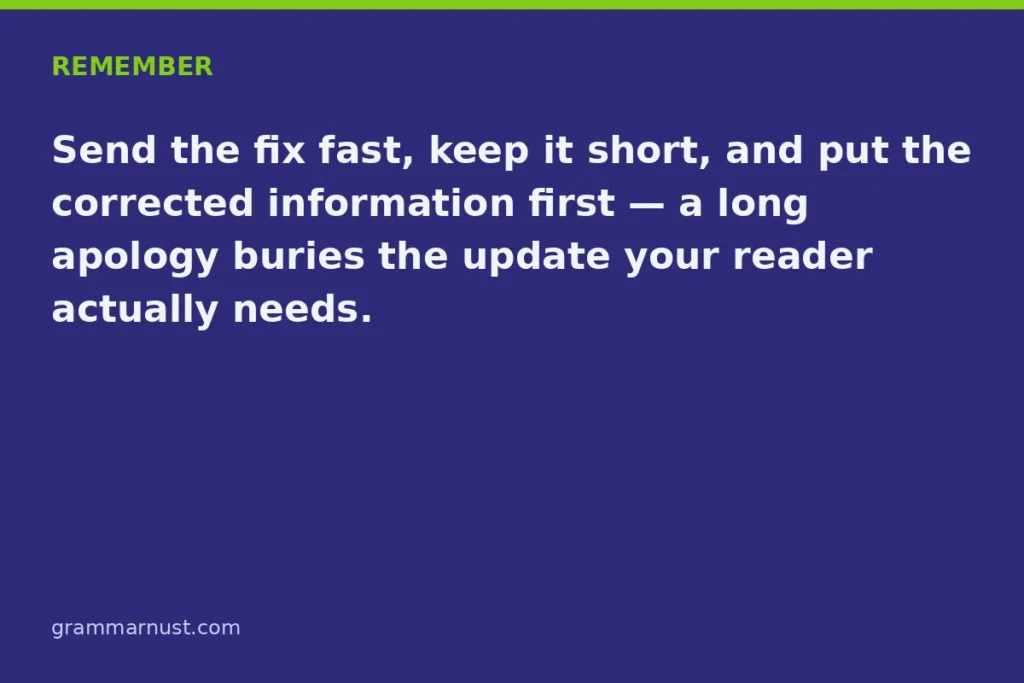
Take responsibility once, provide the accurate information, and move forward. A professional correction should focus on resolving the issue rather than dwelling on the mistake.
3. Forgetting to Ask a Wrong Recipient to Delete the Message
If you accidentally send an email containing private or confidential information to the wrong person, asking them to disregard it may not be sufficient. The message remains in their inbox unless they remove it.
Where appropriate, specifically request that they delete the message unread, avoid forwarding or sharing it, and confirm once it has been deleted. If the information is sensitive, follow your organization’s privacy and security procedures as well.
4. Blaming the Reader for the Confusion
Avoid wording that suggests the recipient caused the problem when the original email contained an error. Expressions such as “You misunderstood my last email” can sound defensive and damage professional relationships.
Instead, acknowledge your responsibility. For example, write, “My previous explanation was unclear. Let me clarify the correct instructions.” This approach is more constructive and keeps the conversation focused on the solution.
5. Forgetting to Attach the Correct Replacement File
If you tell someone to use an updated document but forget to attach it, you create another unnecessary email exchange. Before sending a correction, double-check the file name, document version, and attachment.
Make sure the replacement is accessible and that the recipient knows which file to use. If the correct file is not ready, explain when you expect to send it rather than suggesting that an attachment is included.
Frequently Asked Questions
How do I politely ask someone to disregard my previous email?
Use a polite, direct expression such as, “I apologize for the confusion. Please disregard my previous email and refer to the updated information below.” Briefly explain why the earlier message should be ignored and provide the corrected details. If the original email contained an attachment or instructions, specify whether the recipient should delete the file or stop the requested action.
What should I write if I sent an email to the wrong person?
Explain that the email was sent to them by mistake and politely request that they delete it unread. For example: “I apologize, but my previous email was intended for another recipient. Please delete it unread, do not forward its contents, and confirm once it has been removed.” If the message contained sensitive information, follow your organization’s privacy or security reporting procedures.
How do I correct wrong information in an email I already sent?
Send a follow-up email with a clear subject line such as “Correction: Updated Information.” Identify the incorrect detail, provide the accurate replacement, and explain which information the recipient should use. For example: “The deadline in my previous email was incorrect. Please use November 15 instead of November 12.” Avoid making the recipient search through the earlier conversation for the correction.
Should I apologize when asking someone to ignore a previous email?
Yes, a brief apology is appropriate when your mistake caused confusion, inconvenience, or additional work. You can write, “I apologize for the confusion. Please use the corrected information in this message instead.” However, you do not need a lengthy apology for every minor typo or duplicate message. Acknowledge the mistake, provide the correction, and maintain a professional tone.
What do I write if I attached the wrong file to my email?
Explain that the earlier attachment was incorrect and identify the replacement file. For example: “I apologize for attaching the wrong document to my previous email. Please delete the earlier attachment and use the corrected file attached here.” Before sending the follow-up, verify that the replacement file is the correct version and opens properly. If the original attachment contained sensitive information, follow the appropriate security procedures.
Can I just delete or recall the email instead of sending a follow-up?
Sometimes, but it depends on your email service and the recipient’s email system. Gmail’s Undo Send feature can stop an email shortly after sending, while Outlook recall has specific account and recipient conditions. These features do not guarantee that an already delivered or opened email will disappear. If the message has been delivered, a clear follow-up correction is generally the safer approach.
Conclusion
The best alternative depends on why you need the recipient to ignore an earlier message. Whether you sent the wrong attachment, shared outdated information, emailed the wrong person, or need to withdraw a request, your follow-up should explain the situation and provide a clear next step.
These 35 alternatives give you practical options for professional, formal, apologetic, and short email corrections. When choosing other ways to say please disregard my previous email, prioritize clarity, accountability, and the action you want the recipient to take. A concise, thoughtful correction can prevent misunderstandings and help maintain professional relationships.